Adaptive Wheel
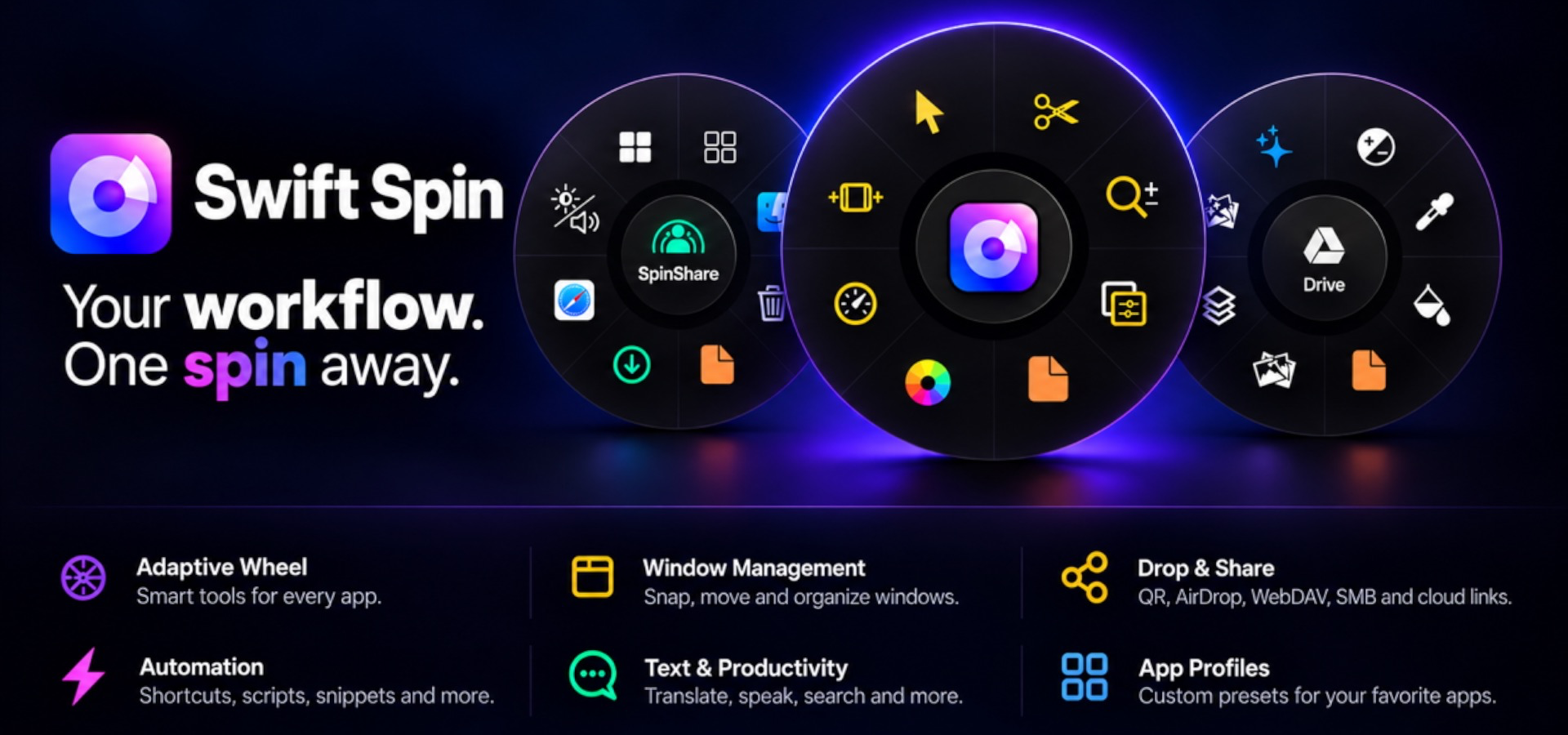
A custom radial menu with app-specific tools and quick access to your favorite actions.
The right tools, in reach
YOUR MAC. YOUR WAY.
Your favorite actions, right where you need them.
See what one spin can do.
BUILT FOR YOUR EVERYDAY FLOW
Customize the wheel your way, for each app.
Nine ways to make your Mac work for you.
A custom radial menu with app-specific tools and quick access to your favorite actions.
The right tools, in reachBring keyboard shortcuts, custom scripts and ready-to-use text snippets into your daily flow.
Make repeat tasks lighterUse gesture controls and fast action selection to keep everyday commands close at hand.
Less reaching. More doing.Organize windows in one click. Snap to halves or quarters and move windows between displays.
A place for every windowCollect files in one place and keep them ready to drag, drop and share without breaking your rhythm.
Keep your files closeShare through AirDrop and QR codes, connect with WebDAV and SMB, or upload to the cloud for a shareable link.
From your Mac to anywhereTranslate selected text, read it aloud or search in a single action. Small tools for a smoother day.
Put your words to workBuild dedicated tools and custom presets for each application. A personal workflow for every context.
A wheel for the way you workRequires macOS 12 Monterey or later. Supports Intel and Apple silicon Macs. One license activates up to two Macs.
At home on your MacA SMALL LAUNCH. A BIG NEXT STEP.
Only 20 beta licenses are being offered to help fund enrollment in the Apple Developer Program.
These 20 buyers will receive an email with download and update information, including access through the Mac App Store when it becomes available.
This is a pre-release beta and is not yet notarized by Apple. macOS may block it when you first open it, and you may need to approve it manually. Installation instructions are included inside the DMG.